
Salesforce Winter ’27 Agentforce for Service: What’s New (Part - 2)

Salesforce Winter ’27 marks a major shift in how businesses approach customer and IT service operations. Instead of using AI only for recommendations or summaries, Salesforce is embedding Agentforce directly into service workflows, helping teams automate repetitive tasks, improve customer interactions, and resolve issues faster.
The most important changes include AI-powered work summaries for voice and messaging, knowledge-grounded service replies, proactive incident communication, Agentforce IT Service, AI-assisted hardware sourcing, conversational troubleshooting, improved service request routing, and more streamlined case and fulfilment workflows.
For businesses, these updates point to a bigger change in how Salesforce handles service operations. AI is moving beyond helping reps write or summarise information and is becoming part of the actual service workflow, helping identify issues, surface information, recommend actions, automate repetitive tasks, and support customers without always requiring a service representative.
But not every Winter ’27 feature will be equally valuable for every organization.
A company struggling with high case volumes may benefit most from self-service, Agentforce Service, and work summaries. An organization with a large internal IT operation may get more value from Agentforce IT Service and automated hardware fulfilment. Businesses dealing with frequent outages can look at proactive service operations to identify affected customers and communicate before support requests increase.
This guide breaks down the key Salesforce Winter ’27 Agentforce for Service updates, what each feature does, where it can fit into a service operation, and what businesses should consider before implementing it.
Key Salesforce Winter ’27 Agentforce Updates at a Glance
| Update | Main Purpose | Best For |
|---|---|---|
| Agentforce Contact Center | AI-powered customer conversations | Customer service teams |
| Proactive Service Operations | Detect issues before customers report them | Enterprise support teams |
| Agentforce IT Service | AI employee support | IT departments |
| Hardware Management | Automate device lifecycle tasks | IT asset teams |
| AI Service Improvements | Faster case resolution | Service agents |
| Knowledge Enhancements | Improve AI accuracy | Salesforce teams |
| Agentic Self-Service | Reduce support dependency | Customer portals |
1. Agentforce Contact Center Moves AI Closer to the Customer Conversation
Salesforce Winter ’27 strengthens customer engagement by bringing Agentforce directly into contact center workflows. Businesses can now connect voice, messaging, email, CRM data, and AI assistance inside a unified Salesforce service environment.
Example: Reducing Customer Handling Time
Before: Customer calls → Agent searches CRM → Reviews history → Finds solution
After: Customer calls → Agentforce identifies context → Suggests information → Agent resolves faster
Agentforce Contact Center
Agentforce Contact Center (AFCC) is Salesforce’s native, AI-first contact centre solution. It combines contact centre capabilities with Salesforce data and service workflows, helping agents manage customer interactions within Salesforce.
The latest updates extend capabilities across areas such as:
AI-powered customer interactions
Voice and digital communication support
Messaging and email management
Workforce Engagement Management capablities
Service workflow integration
For companies already relying heavily on Salesforce Service Cloud, a native contact center approach can help create a more connected customer support experience.
Partner Contact Center
Businesses that already use a third-party contact center platform can use Partner Contact Center to connect their CCaaS provider with Salesforce.
Partner Contact Center supports integrations with third-party platforms such as Amazon Connect and provides enhancements for:
Common use cases include:
Connecting inbound customer calls with Salesforce cases
Supporting proactive outbound customer engagement
Integrating voice interactions with CRM data
Maintaining existing contact center platforms while improving service workflows
Through this method, organizations can maintain their existing contact center technology while integrating Salesforce with customer interactions.
Messaging and Email Updates
Customer support is no longer limited to phone conversations. Many businesses now manage customer relationships through messaging and email channels.
Winter ’27 improvements help service teams manage these interactions more efficiently by connecting digital conversations with Salesforce service processes.
Key improvements include:
Better management of customer messaging conversations
Improved supervisor visibility across digital channels
Email-to-Case workflows that automatically convert customer emails into trackable service cases
Choosing Between a Native Salesforce Contact Center and Existing Platforms
Not every organization has the same technology environment. Some businesses want a fully integrated Salesforce contact center experience, while others prefer keeping their existing contact center provider.
| Approach | Best Fit For |
|---|---|
| Agentforce Contact Center | Companies looking for a Salesforce-native AI contact center experience |
| Partner Contact Center | Businesses that want to connect existing CCaaS platforms with Salesforce workflows |
Organizations already using third-party contact center solutions can continue leveraging their existing investment while connecting customer interactions with Salesforce data and service processes.
2. Proactive Service Operations: Connect IT Incidents With Customer Service
Many customer service problems begin before a customer contacts support. A system outage, infrastructure failure, or planned change may already affect users, but service teams often discover the impact only after cases start increasing.
For example, an infrastructure problem may affect a specific group of customers before they report anything to the service team. Without visibility into the underlying IT issue, service representatives may treat each incoming case as an individual problem.
Salesforce Winter ’27 improves proactive service operations by connecting IT service management with customer service management.
This allows service teams to identify customer impact earlier and respond before customers start reporting the same problem.
How Proactive Service Operations Works
The capability connects information from IT operations with customer service data.
For example:
IT incident detected → Identify affected customers/assets → Notify service teams → Proactively support customers
Service representatives can receive information about:
Customer-impacting IT incidents
Planned IT changes
Affected accounts, customers, or assets
Relevant configuration and infrastructure information
CMDB data can help identify which customers, accounts, assets, or services may be affected by an incident or planned change.
This update is particularly relevant for organizations where IT incidents frequently create customer-facing support volume. By connecting IT incidents with customer and asset context, service teams can identify potential impact earlier, prepare communications, and reduce repetitive support requests.
3. Agentforce IT Service Brings AI Into Employee Support
IT teams handle many repetitive employee requests, including password resets, software access, account provisioning, and troubleshooting. Salesforce Winter ’27 expands Agentforce IT Service to automate more of these interactions and give employees a more conversational way to get IT support.
AI-Assisted IT Support
AI capabilities for IT teams: Automatic File Analysis and Customizable AI Actions.
With Automatic File Analysis, Agentforce can analyze files attached to IT tickets, including screenshots, error logs, and configuration files. It can extract relevant details to help generate summaries, identify potential root causes, and suggest solutions for incidents, problems, and change requests.
This reduces the need for IT staff to manually review every attachment before beginning their investigation.
Salesforce also lets administrators customize AI prompts and field mappings so AI-generated content follows the organisation's terminology and service processes. Teams can tailor how Agentforce creates or updates incidents, problems, and change requests, as well as how it drafts emails and filters tickets.
Support Through Slack and Microsoft Teams
Employees can also interact with IT support through collaboration tools.
With Slackbot, employees can handle common IT requests through natural-language conversations, including:
Password resets
Software access requests
Account provisioning
Other IT service requests
Salesforce also provides Microsoft Teams integration, which can be deployed with one click. Teams' list views can be customized to match the way IT teams manage their work.
Employee Self-Service
IT teams can customize the portal without code, including which fields and buttons appear on:
Ticket list pages
Ticket detail pages
Approval list pages
Employees can also communicate with IT directly through comments and feeds on their tickets and access the portal in their preferred language.
Another useful capability is turning resolved incidents, problems, and change requests into reusable knowledge articles with Agentforce. These articles can then help employees find answers themselves when they encounter similar issues.
Proactive IT Notifications
Agentforce IT Service also adds more options for keeping employees informed.
IT teams can send broadcast updates about major incidents and change requests through email, in-app notifications, Slack, and Microsoft Teams.
Slack notifications can also be structured with labelled sections and action buttons, allowing employees to take action without leaving Slack. Agentforce can deliver notifications through an agent, so employees can ask follow-up questions and take action directly within the Slack conversation.
4. Agentforce Hardware Management: Automating IT Asset (Device Fulfilment) Operations
Managing hardware throughout its lifecycle can create significant workload for IT teams, from employee requests and device sourcing to tracking and disposal.
Salesforce Winter ’27 introduces Agentforce Hardware Management, helping organizations automate IT asset processes through AI-powered workflows and conversational support.
Reduce manual IT tasks while improving visibility into hardware management.
Key improvements include:
AI-assisted hardware requests and fulfillment
Automated sourcing and disposal workflows
Better asset tracking and compliance visibility
Faster employee self-service
Automate Hardware Requests With Agentforce
IT teams can reduce manual hardware requests by allowing employees to submit and track device requests through AI-powered conversations.
Instead of submitting multiple forms or contacting IT manually, employees can interact with AI agents using natural language.
Improve Asset Tracking and Compliance
Hardware management requires accurate tracking of every inventory change, especially for organizations with large device environments.
Agentforce helps IT teams maintain better visibility into:
Asset movements
Device status changes
Disposal verification
Inventory records
Simplify Hardware Lifecycle Management
From purchasing devices to retiring old equipment, hardware lifecycle management involves many repetitive steps.
Agentforce can support tasks such as:
Sourcing recommendations
Disposal certificate reconciliation
Employee asset verification
Sourcing Hardware With Agentforce
The sourcing agent can evaluate hardware requests and make sourcing decisions based on inventory availability and logistics.
For example:
Employee requests a laptop → Agent checks inventory → Evaluates sourcing options → Recommends fulfillment
The agent can check local inventory first and consider other fulfillment options when the requested hardware isn't available at that location.
Organizations can use Guided Fulfillment to review and complete the recommended actions or configure more autonomous fulfillment where appropriate.
More Than Hardware Sourcing
Salesforce expands Agentforce capabilities across other parts of the hardware lifecycle, including:
Employee hardware inquiries
Hardware sourcing decisions
Asset fulfillment
Disposal reconciliation
Asset tracking
Inventory change tracking
Salesforce also introduces a double-entry inventory ledger that records inventory quantity changes throughout the asset lifecycle, providing a clearer audit trail of what changed and when.
For day-to-day fulfillment, Fast Path fulfillment brings multiple actions together on a single page, reducing the need to move between different screens.
5. AI Solutions for Service: Improving Agent Productivity With Salesforce AI
Salesforce Winter ’27 introduces a major shift in how enterprises manage service operations. Instead of using AI only for summaries and recommendations, Salesforce is embedding Agentforce into customer support, IT operations, employee self-service, and asset management workflows.
For businesses, the biggest opportunity is reducing repetitive service work, improving response times, and creating more scalable support operations without increasing team workload.
Key areas improved:
Faster access to customer information
Better understanding of complex cases
Reduced manual documentation
More consistent customer responses
Faster Case Resolution With AI-Powered Knowledge Assistance
One of the biggest challenges for service teams is finding the right information quickly. Agents often spend valuable time searching through large knowledge bases before they can help customers.
With Multi-Intent or Agentforce Article Recommendations, Salesforce AI can analyze a case, identify multiple customer issues, and suggest relevant knowledge articles automatically.
Example:
A customer reports both a login problem and an incorrect invoice charge. Instead of manually searching for two solutions, the agent receives relevant information for both issues.
Better Customer Context With AI Case Summaries
Complex cases often involve multiple conversations, different agents, and long interaction histories.
Enhanced summaries help agents quickly understand previous customer interactions without manually reviewing every update.
This is especially valuable for:
Large service teams
Global support operations
Cases transferred between departments
Reduce Agent Documentation Work With AI Summaries
After every call or messaging interaction, agents usually need to document what happened. For high-volume support teams, this creates a significant workload.
Einstein Work Summaries automatically generate interaction summaries, helping agents complete documentation faster.
For organizations managing thousands of interactions, even saving a few minutes per case can create significant productivity gains.
More Accurate Customer Emails With AI Responses
Customers expect fast responses, but manually creating accurate email replies can take time.
Service Replies for Email improves this process by generating responses based on trusted enterprise knowledge sources.
Instead of writing every response from scratch, agents can review AI-generated suggestions based on approved company information.
What Winter ’27 AI Improvements Mean for Businesses
Salesforce is moving AI beyond individual features and embedding it into daily service operations.
| Business Challenge | Salesforce AI Improvement | Result |
|---|---|---|
| Agents spend too much time searching | Einstein Article Recommendations | Faster access to solutions |
| Cases are difficult to understand | Enhanced Summaries | Better customer context |
| Documentation takes too long | Einstein Work Summaries | Reduced admin workload |
| Email responses are slow | Service Replies for Email | Faster communication |
The right AI implementation is not about adding more technology. It is about removing unnecessary steps from the service process.
6. Case Management Gets More Practical With AI
Managing customer cases involves many small tasks that slow down service teams, from rewriting updates and searching for information to handling duplicate requests.
Winter ’27 improves the case experience by adding AI assistance and workflow enhancements that help reps spend less time managing case records and more time solving customer problems.
The major improvements include:
Faster case documentation with AI assistance
Easier multilingual case handling
Quicker access to customer files
Better duplicate case management
AI Assistance for Better Case Documentation
Case notes are important for collaboration, especially when multiple agents handle the same customer issue. However, writing and improving case updates can take valuable time.
Winter ’27 introduces AI-powered writing assistance that helps reps refine, summarize, and improve case comments without rewriting them manually.
Why businesses should care:
Creates more consistent case records
Reduces documentation effort
Helps teams maintain better customer history
Handle Multilingual Cases More Efficiently
Global support teams often receive customer requests in different languages, creating delays when reps need external translation tools.
Winter ’27 allows teams to translate case information directly within Salesforce, helping agents understand customer issues without leaving the platform.
Find Customer Information Faster
Attachments such as screenshots, error messages, and documents often contain critical details needed to resolve a case.
With improved attachment visibility, reps can access original case files more easily from the case workspace.
Better Control Over Duplicate Cases
Duplicate cases can create confusion, increase workload, and affect reporting accuracy.
Winter ’27 improves case merge management, helping administrators better identify and manage duplicate records.
7. Knowledge Becomes a Core Part of the Agentforce Service Strategy
AI-powered service depends on one critical foundation: trusted and accurate business knowledge.
With Winter ’27, Salesforce continues strengthening the connection between Salesforce Knowledge and Agentforce, helping AI agents access approved information when assisting customers and service teams.
Instead of repeatedly solving the same customer issue, organizations can capture proven solutions as reusable knowledge that Agentforce can reference in future interactions.
What’s Improving in Winter ’27
Winter ’27 introduces capabilities that help organizations get more value from their existing service knowledge, including:
Create Knowledge articles from resolved records to turn successful case resolutions into reusable content
Reuse Knowledge content across service experiences
Create custom AI prompt templates for more tailored AI responses
Use Knowledge similarity to identify related content and reduce duplicate articles
Why Knowledge Quality Matters for Agentforce
Many organizations have outdated articles, scattered information, or duplicate content. These issues can directly affect how effectively AI uses organizational knowledge.
A strong Knowledge foundation helps Agentforce:
Find relevant information faster
Provide more consistent customer guidance
Reduce manual searches by service agents
Use company-approved information across service interactions
For example:
Customer issue resolved → Solution captured → Knowledge article created → Agentforce references the solution for future requests
This creates a continuous knowledge cycle where resolved service issues become reusable information, helping teams avoid repeatedly solving the same problems.
Prepare Your Knowledge Base for AI
Before expanding Agentforce across service workflows, organizations should review whether their Knowledge base is:
Accurate and up to date
Well organized
Easy to search
Free from duplicate or conflicting content
Agentforce can only be as useful as the knowledge it can reliably access. Building a structured, trusted Knowledge foundation should therefore be part of the broader Agentforce Service strategy.
8. Self-Service Moves Toward Agentic Customer Support
Customers increasingly expect quick answers without waiting for a support representative. Salesforce Winter ’27 improves self-service by moving from traditional search-based support toward AI-powered assistance that can understand customer needs and guide them toward solutions.
Instead of forcing customers to search through multiple help articles, Agentforce can help identify issues, recommend next steps, and guide troubleshooting.
How Agentic Self-Service Helps Businesses
With Winter ’27 improvements, organizations can create smarter self-service experiences through:
AI-guided customer support
Faster portal setup
Automated Messaging deployment
Help Agent capabilities
Proactive troubleshooting
Mobile notifications for customer updates
Example:
Customer reports a technical issue → AI understands the problem → Provides guided troubleshooting → Customer resolves the issue without contacting support
What These Winter ’27 Updates Mean for Service Leaders
Salesforce Winter ’27 shows a shift from traditional support models toward intelligent service operations.
The biggest opportunity is creating a connected system where:
Customers solve simple issues independently
Agents receive better information
AI handles repetitive tasks
Service teams focus on complex problems
For businesses, the goal is not simply adding AI. It is improving the entire customer service process.
Where Should Businesses Start With Agentforce for Service?
A common mistake is trying to implement every AI capability immediately.
A better approach is starting with the biggest operational challenges and expanding gradually.
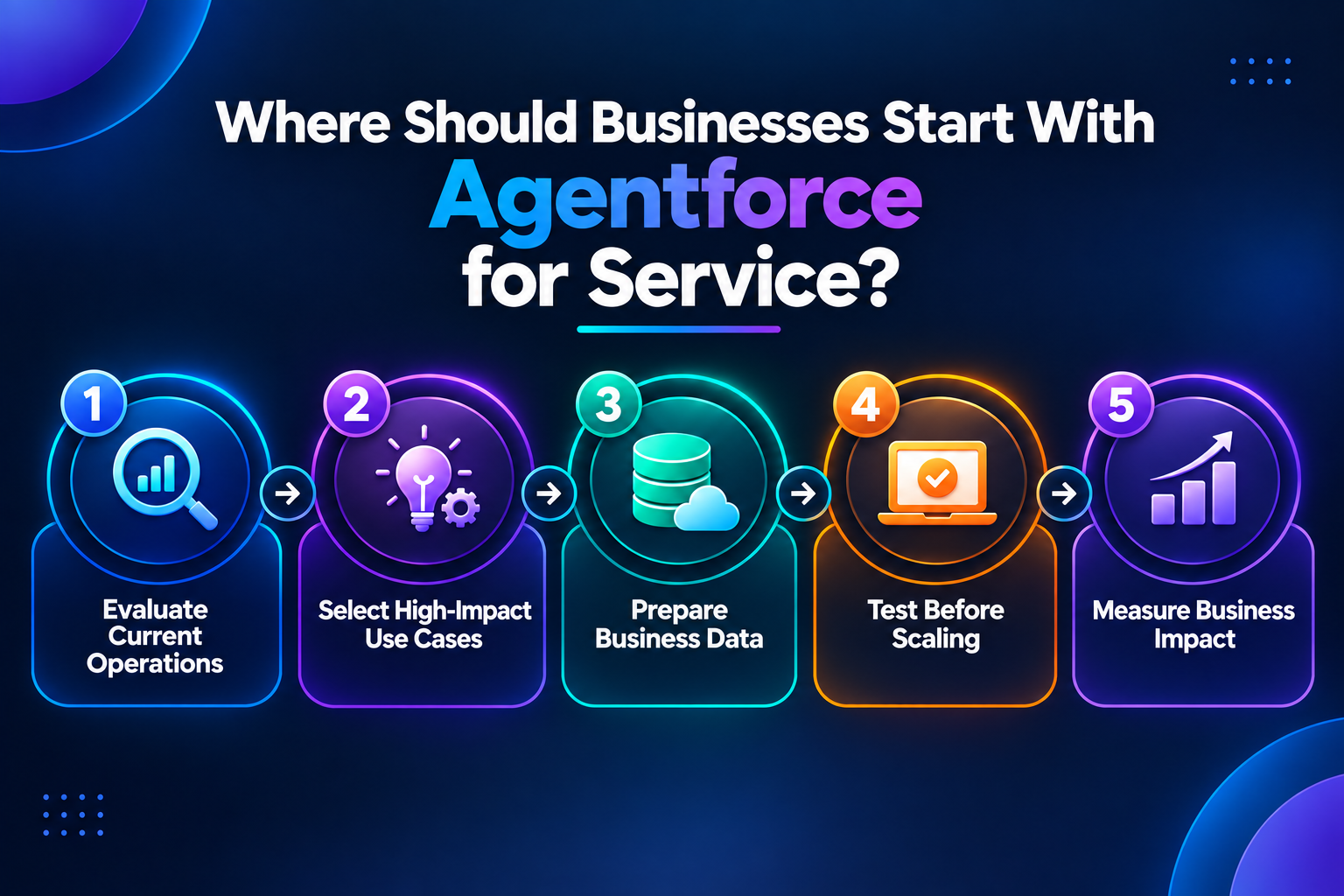
Phase 1: Evaluate Current Operations
Analyze:
Customer support volume
Common service requests
Response and resolution times
Existing Knowledge quality
Current service channels
Identify where teams spend the most time.
Phase 2: Select High-Impact Use Cases
Start with areas where AI can create measurable improvements.
Examples:
| Business Challenge | Potential Solution |
|---|---|
| Too many repetitive questions | Agentic Self-Service |
| Long case handling times | AI summaries and Knowledge assistance |
| Slow customer responses | AI-powered service replies |
| High IT request volume | Agentforce IT Service |
Phase 3: Prepare Business Data
AI performance depends on reliable data.
Review:
Customer information
Case history
Knowledge articles
Asset records
IT service data
Phase 4: Test Before Scaling
Validate:
AI responses
Knowledge sources
Automation rules
Human approval requirements
Escalation processes
Phase 5: Measure Business Impact
Track results using:
First response time
Average resolution time
Case reduction rate
Agent productivity
Customer satisfaction
AI-assisted resolution rate
Final Thoughts
Salesforce Winter ’27 brings Agentforce deeper into customer service, IT support, contact centers, self-service, and hardware management. The updates show how AI is moving from assisting individual tasks to becoming part of the broader service workflow.
Businesses cannot adopt every new capability. A more practical approach is to identify where service teams spend the most time. This is to prepare the data and knowledge AI needs and start with use cases that address clear operational challenges.
Whether the goal is reducing repetitive cases, improving agent productivity, helping employees resolve IT requests, or responding proactively to customer issues, Winter ’27 provides multiple ways to improve service operations.
Planning to implement Agentforce for your business? MV Clouds can help you identify the right Agentforce use cases, assess your Salesforce environment, prepare the required data and knowledge, and build an implementation roadmap aligned with your service workflows.
Ready to get started? Contact us to discuss your Agentforce implementation with our Salesforce experts.
Frequently Asked Questions
1. What is new in Agentforce for Service in Salesforce Winter ’27?
Salesforce Winter ’27 expands Agentforce across customer service, IT service, contact centers, self-service, and hardware management. Key updates include AI-powered case and work summaries, knowledge-grounded service replies, proactive incident management, Agentforce IT Service, AI-assisted hardware sourcing, and agentic self-service.
2. What is Agentforce Contact Center in Salesforce Winter ’27?
Agentforce Contact Center is Salesforce’s AI-first contact center solution that connects voice, digital channels, Salesforce data, and service workflows. Businesses can use it to support customer conversations while giving service agents access to relevant customer and case information within Salesforce.
3. How does Agentforce help with IT service management?
Agentforce IT Service helps automate common employee IT requests such as password resets, software access, account provisioning, and troubleshooting. Winter ’27 also adds capabilities such as automatic file analysis, AI-assisted IT actions, Slack and Microsoft Teams support, employee self-service, and proactive IT notifications.
4. How does Agentforce use Salesforce Knowledge for customer service?
Agentforce can use approved Salesforce Knowledge content to provide relevant information to service agents, customers, and self-service experiences. A well-maintained Knowledge base can help AI provide more consistent responses and reduce the need for agents to manually search for information.
5. Can Agentforce help reduce repetitive customer service cases?
Yes. Agentforce can help reduce repetitive cases through AI-powered self-service, automated service responses, Knowledge assistance, and proactive communication. Businesses can use these capabilities to help customers resolve common issues without requiring a service representative for every interaction.
6. What is Agentforce Hardware Management?
The Agentforce Hardware Management tool helps IT teams manage device requests, sourcing, fulfilment, asset tracking, and disposal through AI-powered workflows. Asset lifecycle management is supported through other capabilities by the sourcing agent, including evaluating hardware requests based on inventory availability and logistics.
7. How can businesses prepare for Agentforce implementation?
Businesses should start by identifying their biggest service bottlenecks, reviewing customer and service data, evaluating knowledge quality, and selecting a specific use case. After testing AI responses, automation, approvals, and escalation processes, teams can measure results and expand Agentforce to additional workflows.
8. Is Agentforce suitable for every business?
Agentforce can support different service operations, but the most relevant capabilities depend on a business’s workflows, service volume, data quality, existing Salesforce environment, and customer or employee support needs. Businesses should identify specific operational challenges before selecting which Agentforce capabilities to implement.
